Nodes
Nodes are workers that execute workflows in the background. Most users only need to check this page when workflow work is delayed or support asks for worker status.
If the node server is offline, Connect shows a banner at the top of the app. Contact Kinspeed if that happens.
Node status
The Nodes page shows worker availability and status. Managers may see additional restart or management actions depending on their role and customer configuration.
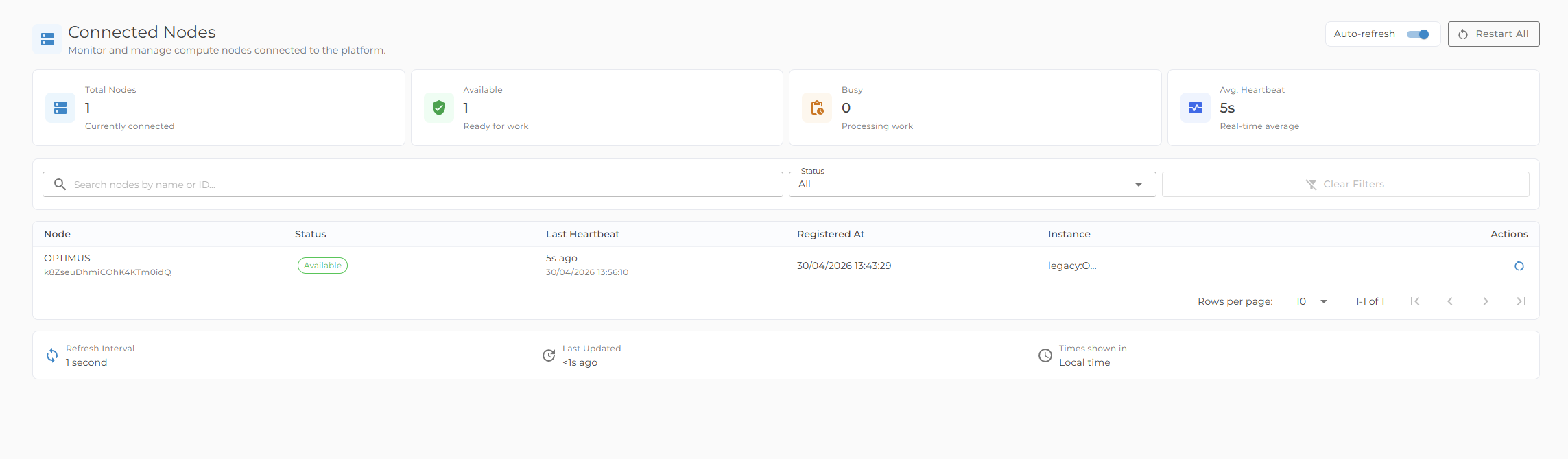
When to check nodes
Check Nodes if:
- Workflow preview is waiting for an available worker
- Jobs are queued longer than expected
- A support engineer asks for worker status
If a worker appears unavailable for longer than expected, contact Kinspeed rather than repeatedly starting the same workflow.