Users and Roles (Manager)
Managers can create users, assign roles, and help users recover access.
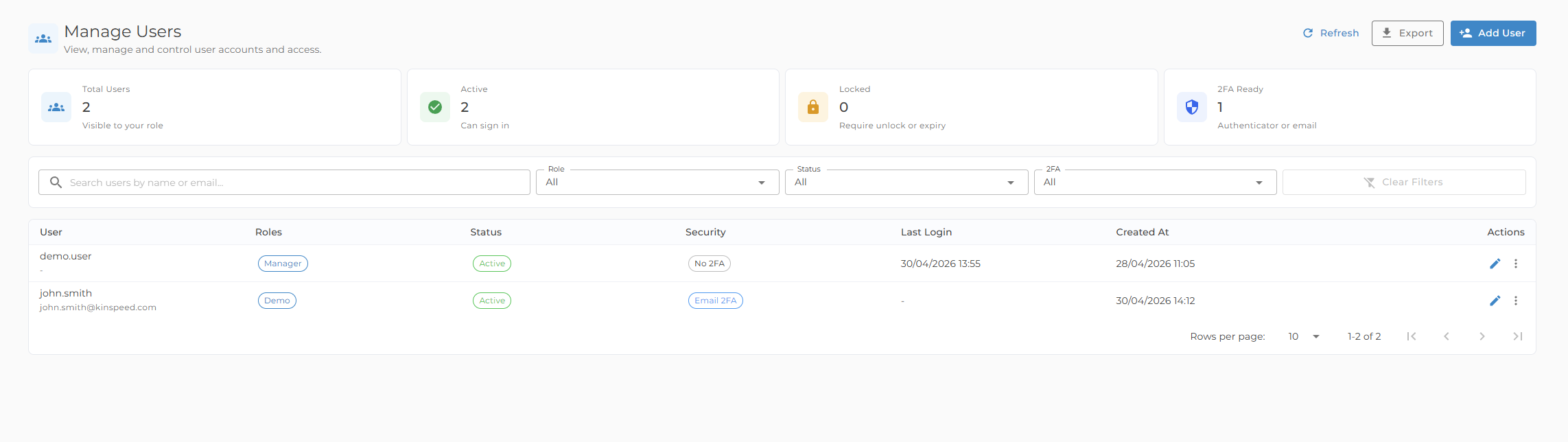
Manage users
- Add, edit, and delete customer users
- Set display name and email address
- Assign one or more roles
- Review active, inactive, and lockout state
- Clear a user's lockout when appropriate
- Disable authenticator MFA for a user if recovery is needed
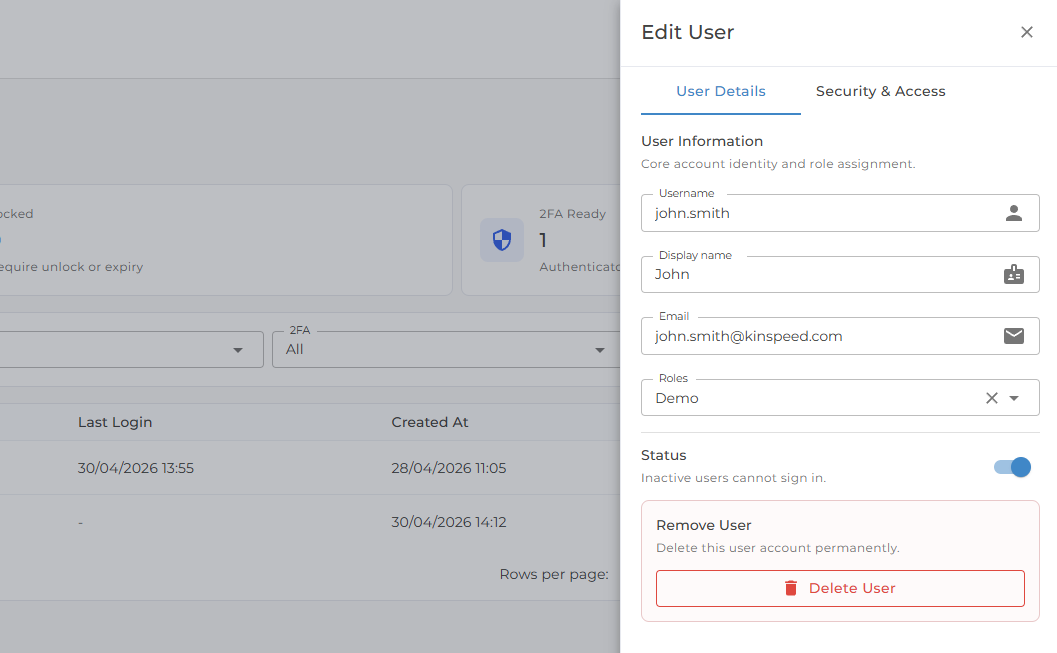
Use inactive or suspended state for users who should not be able to sign in. Delete users only when you are sure the account is no longer needed.
Manage roles
- Create custom roles for your organization
- Control which workflows and reports users can access
- Review built-in roles
Protected system roles cannot be edited or deleted.
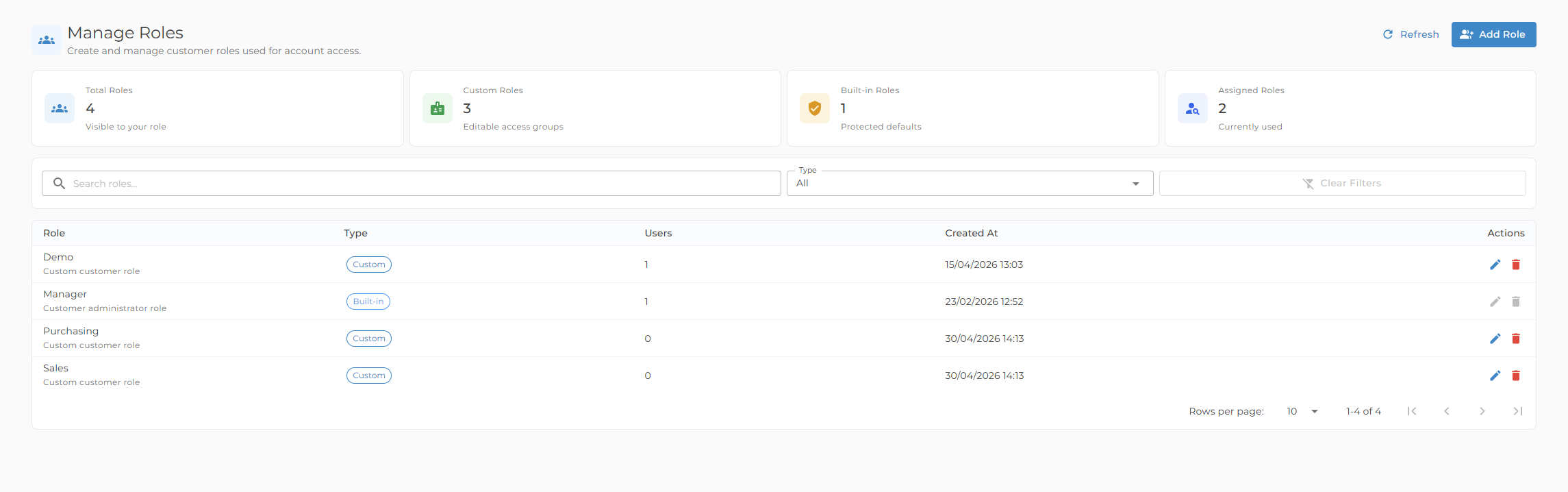
Managers cannot manage protected platform operator accounts or assign platform-level access.